Ban Players: A new Club Capability
The Club Ban feature gives clubs more control over who can join them.
Admins who have the Ban Players permission can ban current or past members, guests, or players with join requests.
Once a player is banned, they will be automatically removed from the club if they are currently a member or guest, and can no longer join in any capacity
How does this new club-ban feature work?
1. Banning a player
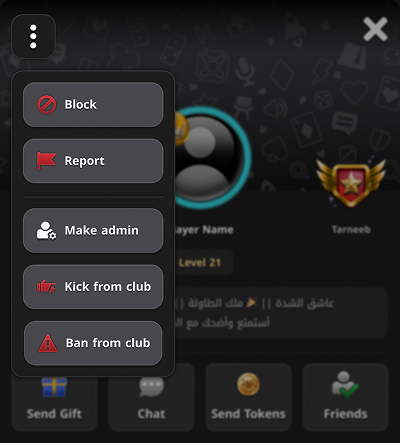
- Admins can ban a member directly from his\her profile.
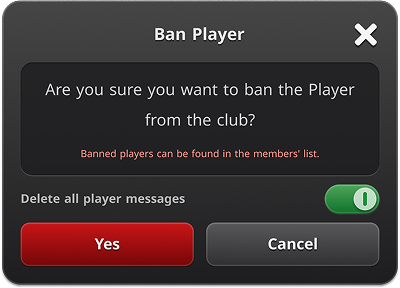
Admins have the option to purge that player’s messages from the club chat.
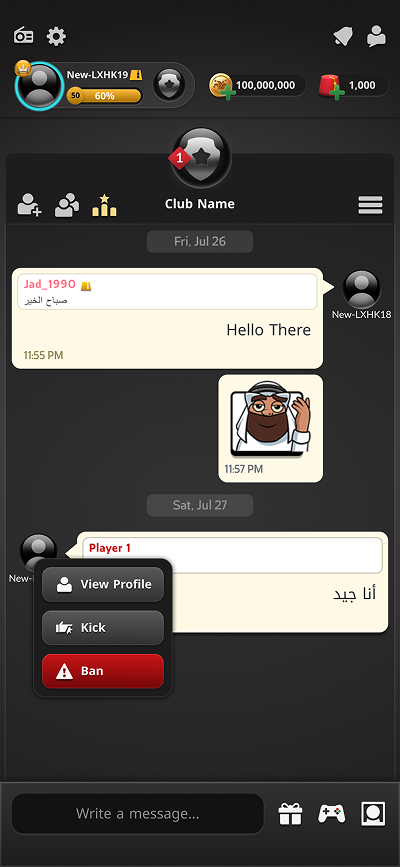
2. Banning from chat
Admins can ban members directly from the new chat menu.
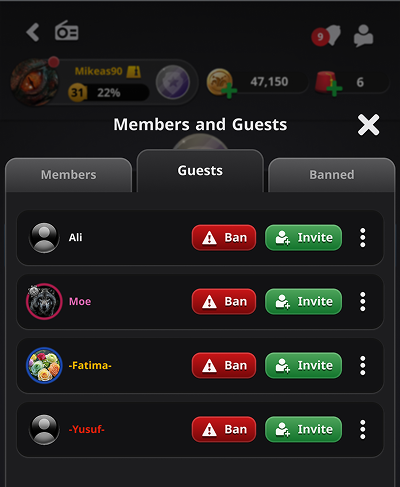
3. Banning a guest
Admins can also ban players directly from the Guests page.
Managing banned players
All banned players can be found in the Banned Players tab on the Members page.
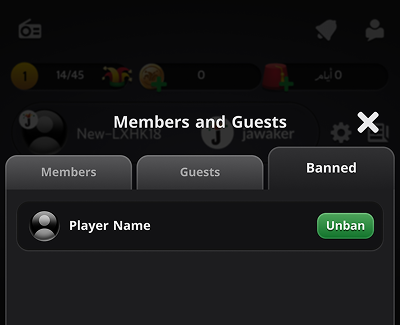
From there, admins can review banned players and unban them whenever needed.
Notes:
- Only admins with the Ban Members permission can ban players