Three New Games Join the Club Games Leaderboards
Three new games have joined the club games leaderboards! Your club can now choose any of them as its game of the week, compete with other clubs in its competitions, and win weekly prizes:
How to choose your club’s game
Only the club owner can choose the club’s game.
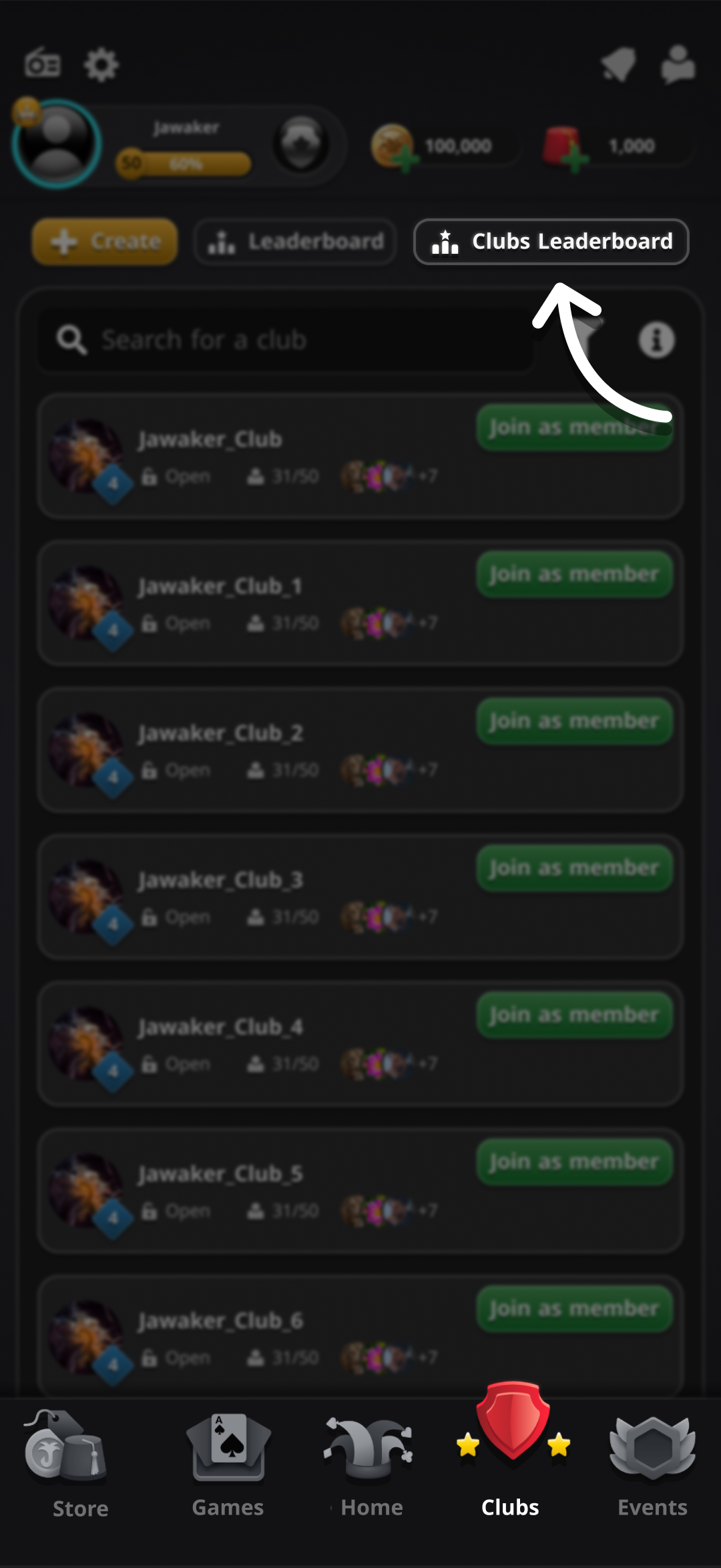
1. Open the Clubs page and tap Clubs Leaderboard.
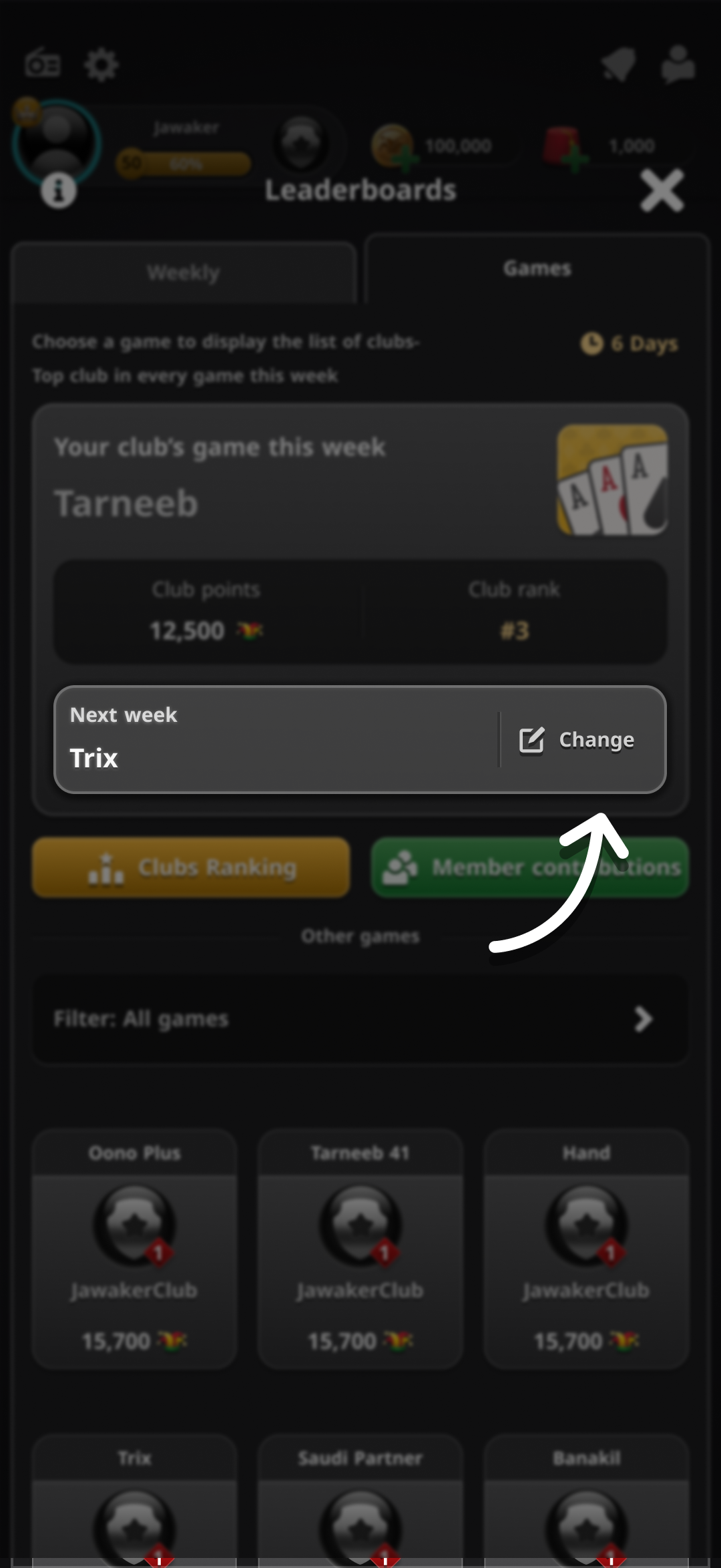
2. Select the Games tab, then tap Change beside Next week.
3. Choose your preferred game from the games menu.
When does your choice take effect?
Each competition week starts on Sunday, and your choice takes effect when the new week begins. Choose your game before Sunday to compete in it next week. Until then, your club continues competing in its current game.
Your club competes in the same game each week until the club owner chooses a different one.
How does your club earn points?
- Experience points (XP) earned by all members from playing and organizing competitions in the selected game count toward this leaderboard, both inside and outside the club.
- XP from normal games does not count toward this leaderboard.
- Your club competes on one game leaderboard each week. Competition XP from other games counts toward the overall club leaderboard, but not the selected game’s leaderboard.
Following your club’s rank
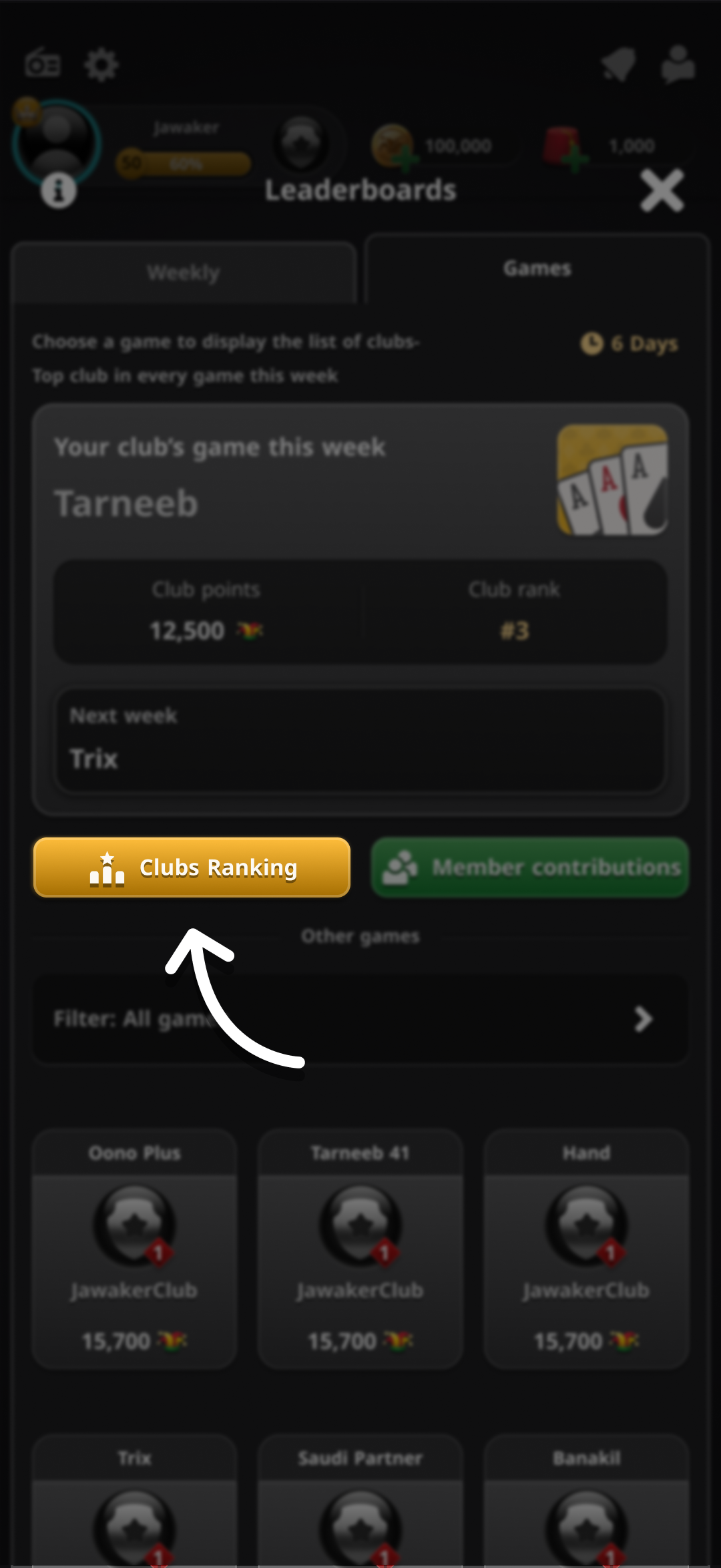
In the Games tab, tap Clubs Ranking to see where your club stands among the clubs competing in the same game.
Prizes
The new leaderboards offer the same prizes as the other game leaderboards:
- Tokens for the club owner and items for the top contributors in the top three clubs.
- Trophy points for the top 20 clubs.
For the full prize tables, read Game-of-the-Week Club Leaderboards.